Generate a welcome email for customers after they have made a purchase. The email should begin with a greeting that includes the customer’s name, express gratitude for their purchase of [name of your product/service], and provide a list of recommended steps for integration, including [first step], [second step], and [third step]. The email should also offer support from your team and provide contact information for them to get in touch, including [preferred contact method] and [your team’s email address or phone number]. Use [your name] as the closing letter in the mail.
Write a welcome email to my customers after they have purchased [product name]. Congratulate them on their purchase and invite them to keep in touch so you can continue to help them solve [the problem].
Open questions and important phrases:
“Write an onboarding email for a new customer that includes a brief description of our products and services.”
“Can you compose an email that welcomes new customers to our company and provides important information about setting up their accounts?”
“Write an onboarding email describing the process for accessing and using our products and services.”
“Can you compose an email explaining our customer support and billing policies and procedures?”
“Write a welcome email that introduces new customers to our team and provides contact information for any questions or concerns.”
“Can you create a welcome email that emphasizes the importance of customer satisfaction and our commitment to their success?”
“Write an email that provides a timeline of events and milestones for the customer onboarding process.”
“Can you write an email that encourages new customers to ask questions and seek support during the onboarding process?”
“Write a welcome email that highlights the resources and tools available to help new customers have a successful onboarding experience.”
“Can you create an email that concludes by expressing excitement about the arrival of the new client and reiterating our commitment to their success?”
One of the most popular email marketing platforms available today is Mailchimp. Since its launch in 2001, Mailchimp has evolved from being just an email marketing tool to an all-in-one marketing and CRM platform. In this blog post, we will review Mailchimp to help you decide if it’s the right choice for your business.
Pricing
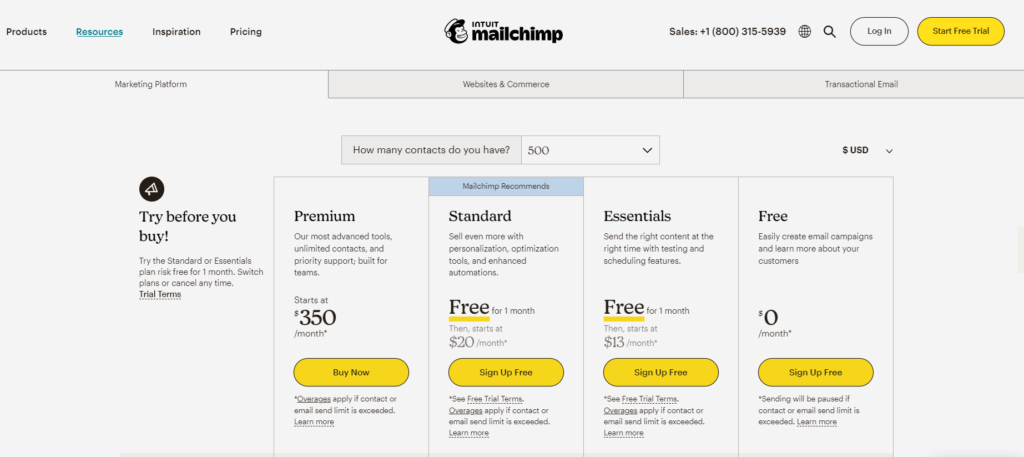
Mailchimp offers a tiered pricing structure, catering to businesses of all sizes:
Free Plan: This plan includes basic email marketing features, 500 contacts, and a monthly sending limit of 1,000 emails. It’s perfect for small businesses or those just starting with email marketing.
Essentials Plan: Starting at $13/month, the Essentials plan increases your contact limit to 5,000 monthly emails and adds features such as A/B testing, custom branding, and 24/7 customer support.
Standard Plan: At $20/month, this plan increases the monthly sending limit to 6,000 and adds advanced segmentation, behavioral targeting, and more automation options.
Premium Plan: For $350/month, the Premium plan offers a 150,000 monthly sending limit, advanced analytics, and priority customer support, catering to large businesses with extensive email marketing needs.
Pros
User-friendly interface
Powerful automation features
Extensive template library and customization options
Comprehensive reporting and analytics tools
Integration with popular third-party apps and services
Free plan available for small businesses
Cons
Limited design flexibility in the drag-and-drop editor
Higher-tier plans can become expensive for large contact lists
Customization options for forms and landing pages could be more robust
Features and Functionality
Email Marketing
Mailchimp’s core feature remains its robust email marketing capabilities. With a wide array of templates and an intuitive drag-and-drop editor, creating professional and eye-catching emails is a breeze. Mailchimp also offers advanced segmentation options, allowing you to target specific groups of subscribers based on demographics, behavior, or other criteria.
Automation
Automation is where Mailchimp truly shines. The platform offers pre-built automation workflows for common marketing tasks such as welcome emails, abandoned cart reminders, and win-back campaigns. You can also create custom workflows to suit your specific business needs. This automation help save time and ensure consistent communication with your audience.
Analytics and Reporting
Mailchimp’s reporting tools allow you to track the performance of your email campaigns in real time. You can easily access open rates, click-through rates, bounce rates, and other metrics that help you make informed decisions about your campaigns. The platform also integrates with Google Analytics, providing a more comprehensive view of your email marketing performance.
CRM and Integrations
Mailchimp’s built-in CRM helps you manage your contacts and track their interactions with your business. You can add custom tags and notes to your contacts, making segmenting and targeting your audience easier. Mailchimp integrates seamlessly with a wide range of third-party apps and services, such as Shopify, WordPress, and Zapier, to further enhance its capabilities.
Landing Pages and Forms
Mailchimp allows you to create visually appealing landing pages and signup forms to grow your subscriber list. You can choose from a variety of templates, customize them to fit your brand, and add your own images and content. The platform also offers tools to help you create pop-up forms, embedded forms, and gated content.
Conclusion
Mailchimp has established itself as a leading email marketing platform thanks to its user-friendly interface, powerful automation, and extensive integration options. The platform’s built-in CRM, analytics, and landing page
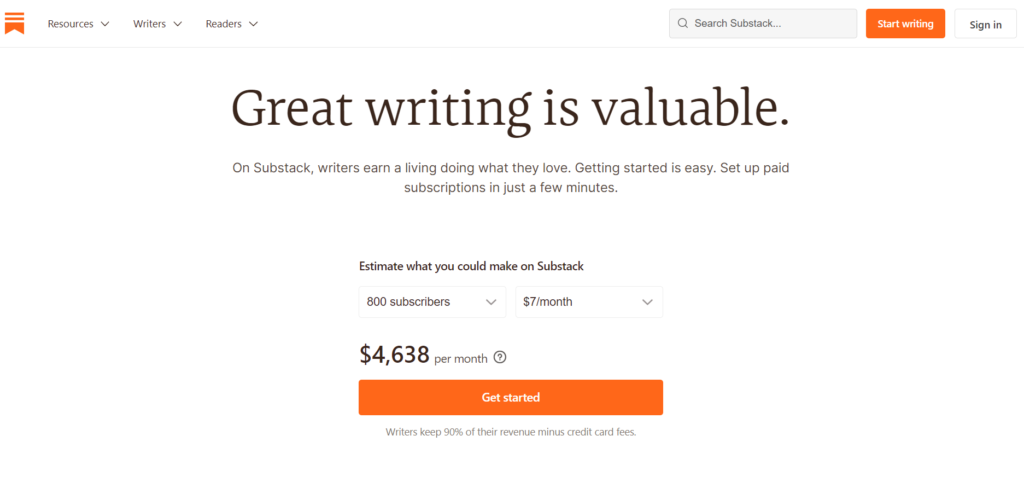
Substack is a popular email newsletter platform that provides writers, journalists, and content creators with the tools and resources they need to build and monetize their audiences.
Pricing: Substack is free to use, but the platform takes a 10% cut of any revenue generated by paid subscriptions. This means that if you charge $5/month for your newsletter, Substack will take 50 cents per subscriber per month.
Pros:
User-friendly interface: Substack has a simple and intuitive interface that makes it easy to create and distribute newsletters.
Monetization options: Substack allows writers to monetize their newsletters through paid subscriptions, sponsorships, and merchandise sales.
Audience building: Substack helps writers build and grow their audience through its discovery features and newsletter archives.
Customization: Substack allows writers to customize their newsletters with their own branding, themes, and design.
Cons:
Limited functionality: Substack is primarily designed for email newsletters, so it may not be suitable for writers who want to create more complex content like podcasts, videos, or courses.
Limited analytics: Substack provides basic analytics like subscriber numbers and open rates, but it doesn’t offer in-depth data analysis.
Revenue sharing: Substack takes a 10% cut of any revenue generated by paid subscriptions, which may be a deal breaker for some writers.
Key Features
User-friendly interface: Substack provides a clean, user-friendly interface that makes it easy for writers to create and manage their newsletters.
Customizable templates: Substack offers a variety of customizable newsletter templates, allowing writers to design newsletters that reflect their personal brand and style.
Subscriber management: Substack provides tools to manage and grow a subscriber base, including the ability to import and export subscriber lists and automate subscription management.
Payment processing: Substack enables writers to monetize their newsletters by offering paid subscriptions or accepting donations from their readers. It also provides tools for managing payments and revenue reporting.
Community building: Substack allows writers to build communities around their newsletters by enabling comments, discussion forums, and other interactive features.
Analytics: Substack provides detailed analytics on subscriber growth, engagement, and revenue, allowing writers to track their performance and optimize their content.
Mobile app: Substack has a mobile app that allows writers to manage their newsletters and engage with subscribers on the go.
Substack is Best for…
Substack is best for writers and publishers who want to create and distribute email newsletters to a loyal subscriber base. It’s ideal for writers who want to monetize their content and build a following.
Substack Alternatives:
Beehiiv is a newsletter platform designed by email marketing experts. It allows us to do advanced customization, launch a referral program, and offer paid subscriptions for growth.
ConvertKit is an email marketing platform that’s designed for creators and bloggers. It offers more advanced features like automation and landing pages but may be more expensive than Substack.
Contribee is a platform that allows creators to monetize their content through subscriptions, merchandise sales, and sponsorships. It’s ideal for creators who want to offer more than just email newsletters, like podcasts, videos, and artwork.
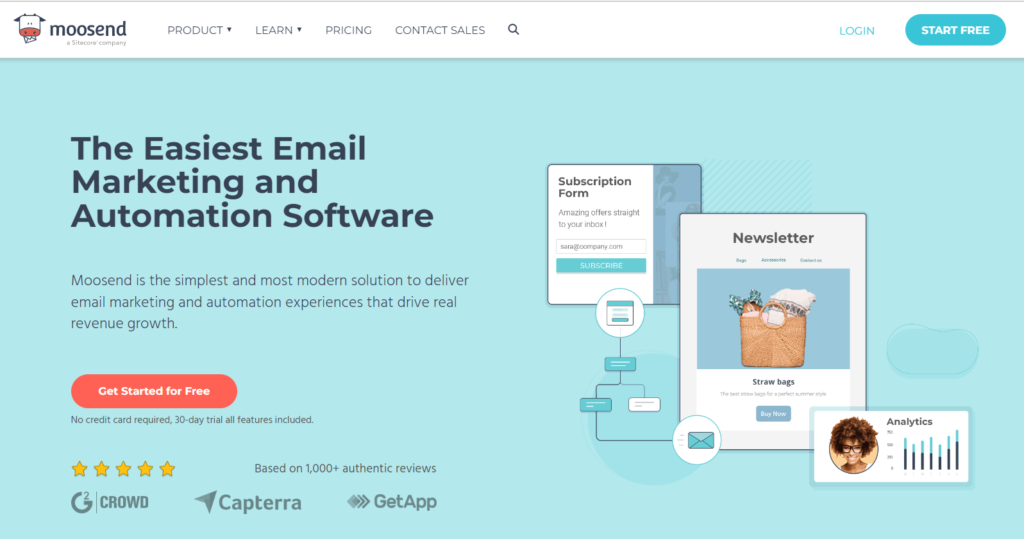
Moosend is an email marketing and automation platform that enables businesses to send targeted and personalized email campaigns.
Pricing:
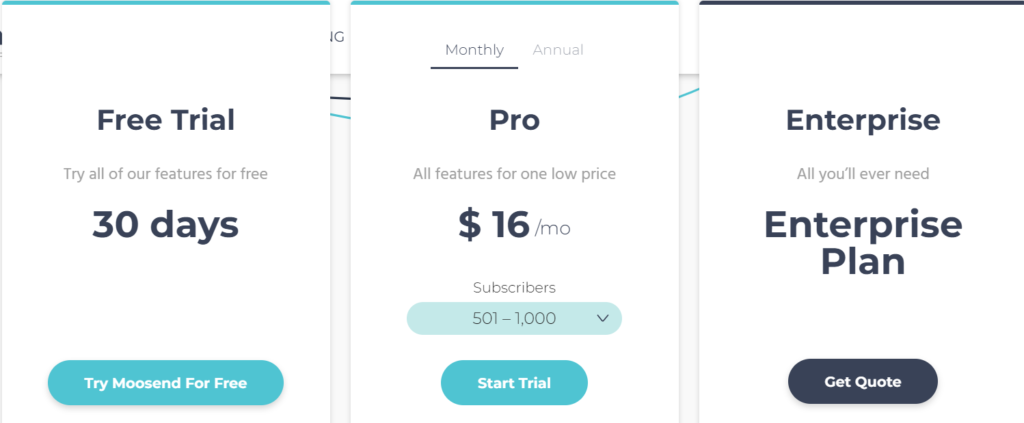
Moosend offers a variety of pricing plans based on the number of subscribers you have and the features you need. Their plans start at $9/month for up to 500 subscribers with unlimited emails and can go up to $5,840 per month for 1,000,000 subscribers. They also offer a pay-as-you-go option for users who need to send a large volume of emails occasionally.
Pros
Easy to use: Moosend has a user-friendly interface that’s easy to navigate, even for beginners.
Personalization: Moosend allows you to personalize your emails based on customer behavior, interests, and preferences.
Automation: Moosend offers advanced automation features like drip campaigns, lead scoring, and segmentation.
Integrations: Moosend integrates with over 1000 apps and tools, including Shopify, Salesforce, and WordPress.
Cons
Limited customization: Moosend offers limited customization options, which may not be suitable for businesses that require more branding and personalization.
Limited analytics: Moosend provides basic analytics like email opens and clicks, but it doesn’t offer in-depth data analysis.
Limited email template options: Moosend has a limited selection of email templates compared to other email marketing platforms.
Key Features
Email Campaigns: Moosend allows users to create and send email campaigns easily, with a drag-and-drop email editor, customizable templates, and a variety of targeting options.
Marketing Automation: Moosend provides advanced automation tools that enable users to create automated workflows based on specific triggers, such as a subscriber’s behavior or demographics.
Landing Pages: Moosend includes a landing page builder that allows users to create custom landing pages for their email campaigns and promotions.
Segmentation and Personalization: Moosend enables users to segment their email lists and personalize their messages based on various criteria, such as location, behavior, and preferences.
Reporting and Analytics: Moosend provides real-time reporting and analytics that enable users to track and analyze the performance of their email campaigns, landing pages, and automation workflows.
Integrations: Moosend integrates with a variety of third-party tools, such as CRM systems, e-commerce platforms, and social media channels, to help users streamline their marketing efforts.
A/B Testing: Moosend allows users to test different versions of their email campaigns, landing pages, and automation workflows to optimize performance and increase conversions.
Best for…
Moosend is best for small to medium-sized businesses that need an affordable and easy-to-use email marketing platform to engage their customers and drive sales. It’s ideal for businesses that want to automate their marketing processes and create targeted campaigns based on customer behavior.
Alternatives
ActiveCampaign is a more comprehensive marketing automation platform that offers advanced features like CRM, lead scoring, and attribution reporting. However, it can be more expensive than Moosend.
Sendinblue is a similar email marketing platform to Moosend that offers advanced features like A/B testing, marketing automation, and landing pages. However, it can be more expensive than Moosend.
Mailchimp is a popular email marketing platform that offers basic marketing automation features and is easy to use. However, it may not be as powerful or comprehensive as Moosend.
ActiveCampaign is an all-in-one marketing automation platform that helps businesses of all sizes create targeted campaigns, automate their marketing processes, and grow their customer base. Here’s my review of ActiveCampaign based on its pricing, pros, and cons, what it’s best for, and its alternatives.
Pricing
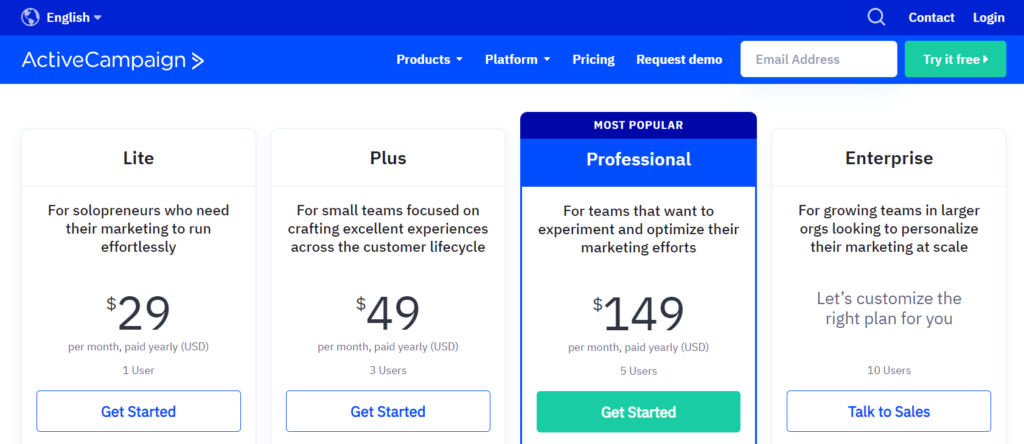
ActiveCampaign offers four pricing plans based on the number of contacts you have and the features you need. Their plans start at $29/month for one user and go up to $149/month for five users. They also offer a custom enterprise plan for businesses with more than 50,000 contacts.
Pros
All-in-one platform: ActiveCampaign offers a complete suite of marketing automation tools, including email marketing, CRM, marketing automation, and messaging.
User-friendly interface: ActiveCampaign has a user-friendly interface that’s easy to use, even for beginners.
Personalization: ActiveCampaign allows you to personalize your campaigns based on customer behavior, interests, and preferences.
Integrations: ActiveCampaign integrates with over 800 apps and tools, including Shopify, Salesforce, and WordPress.
Cons
Pricing: Activecampaign’s pricing plans can be costly, especially for businesses with a large number of contacts.
Limited reporting: ActiveCampaign’s reporting features are limited compared to other marketing automation platforms.
Learning curve: ActiveCampaign’s extensive feature set can be overwhelming for new users.
Key Features
Email Marketing: ActiveCampaign provides a powerful email marketing platform that includes drag-and-drop email design, automation workflows, and A/B testing capabilities.
Marketing Automation: ActiveCampaign offers advanced automation tools that enable users to create complex automation workflows based on triggers and actions.
CRM and Sales Automation: ActiveCampaign includes a CRM platform that allows users to manage leads, contacts, deals, and tasks. It also provides sales automation tools that help users automate their sales processes, such as lead scoring and pipeline management.
Messaging and Conversations: ActiveCampaign includes a messaging platform that allows users to engage with customers through email, chat, SMS, and social media.
Personalization: ActiveCampaign offers a range of personalization features, such as dynamic content, conditional messaging, and personalized recommendations.
Analytics and Reporting: ActiveCampaign provides detailed analytics and reporting that enable users to track and analyze the performance of their marketing campaigns, automation workflows, and sales processes.
Integrations: ActiveCampaign integrates with a wide range of third-party tools and platforms, including CRMs, e-commerce platforms, social media channels, and payment gateways.
Best for…
ActiveCampaign is best for small to medium-sized businesses that need a comprehensive marketing automation platform that can help them personalize their campaigns, engage their customers, and grow their business. It’s ideal for businesses that rely heavily on email marketing and want to automate their marketing processes.
Alternatives:
HubSpot: HubSpot offers a similar set of marketing automation tools to ActiveCampaign, but with more advanced features like lead scoring and attribution reporting. However, it can be more expensive than ActiveCampaign.
Mailchimp is a popular email marketing platform that also offers basic marketing automation features. It’s best suited for small businesses that need a simple, user-friendly platform to manage their email campaigns. However, it may not be as powerful or comprehensive as ActiveCampaign.
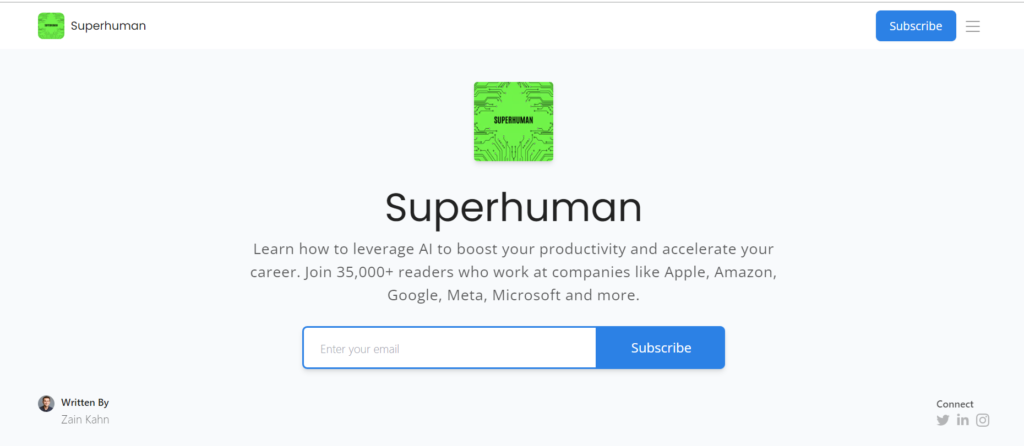
Superhuman is another trending newsletter on AI and related topics. Th newsletter mainly covers tips and teachings on leveraging AI to boost your productivity and accelerate your career.
The newsletter is managed and run by Zain Kahn, who is a famous contributor in the AI field.
The newsletter discusses a list of AI-related things delivered to your inboxes from Monday to Friday. It serves the right topics for curious minds and provides plenty of valuable analysis, all in plain succinct English.
This newsletter’s most enjoyable and famous read is their ‘3-Minute Guide to Slaying Your Dinner Convo About AI.’ All new users can get access to it by subscribing + referring a friend.
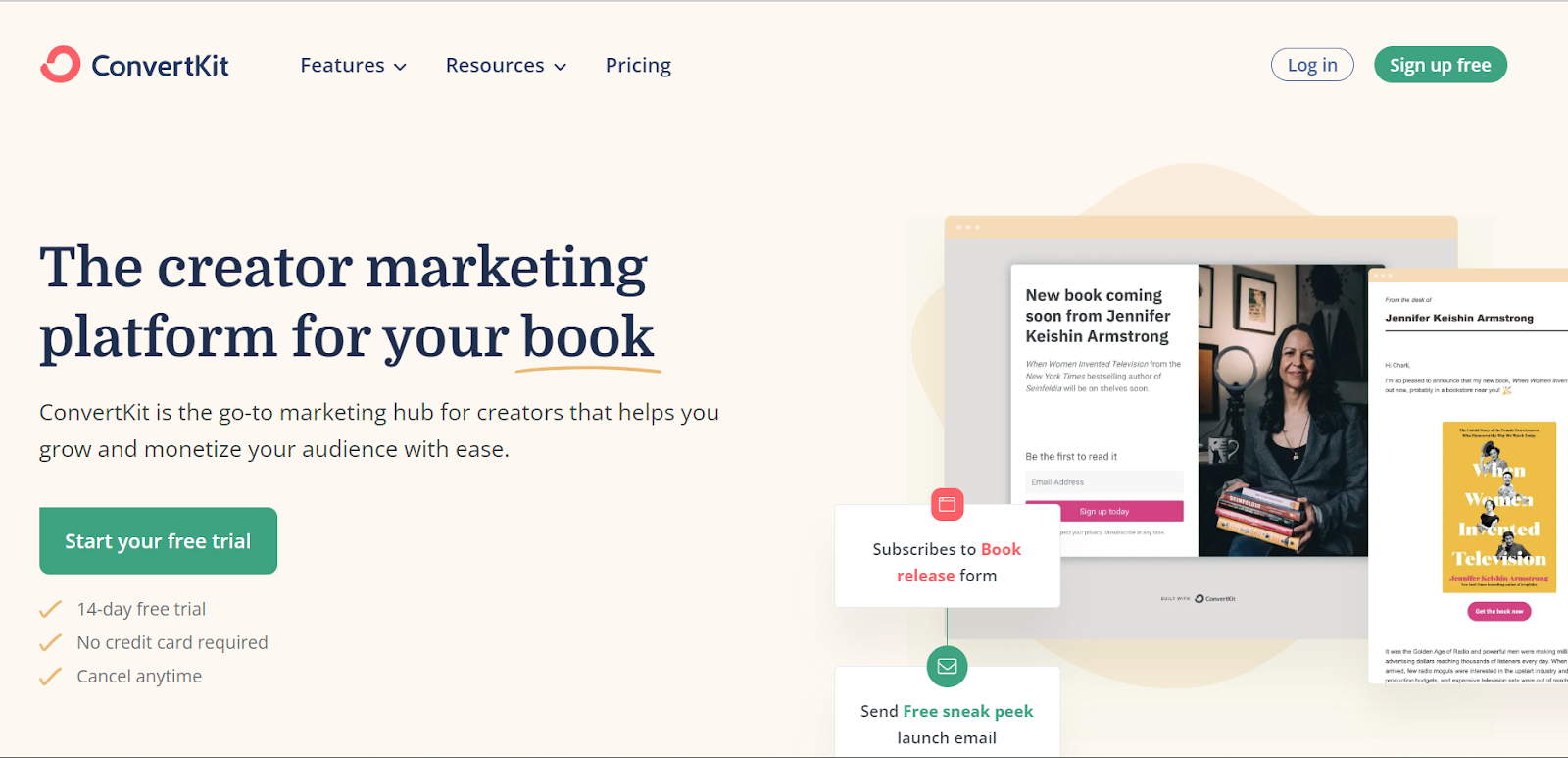
Convertkit is an email marketing tool designed to meet the advanced needs of the challenging marketing era.
If you want an easy one-stop solution to grow an audience, connect with fans, and start earning, ConvertKit is the best option to consider.
What is ConvertKit?
ConvertKit is a cloud-based email marketing tool. Like any other email service provider, it has everything – landing page builder, email list builder, and advanced features – you need to start an email marketing campaign from a single dashboard.
Though ConvertKit is comparatively new in the market, as its owners are also marketing professionals, it proved to be a good solution compared to the ones available.
The reason why this email marketing software is so popular among marketers is because of ConvertKit support and its ability to automate your online business.
With ConvertKit, you can create beautiful landing pages in an instant. Design them the way you want, i.e., simple, catchy, or vintage, to present your brand image.
There’s a huge list of pre-made templates. You can use any of the suitable ones and keep trying new ones to see which works best for you.
Plus, you can host a referral program instead of relying on audience reach. This way, your existing audience will help you grow by referring your newsletter to their connections with interest in the same topic – a boost to your email marketing strategy.
ConvertKit Pricing
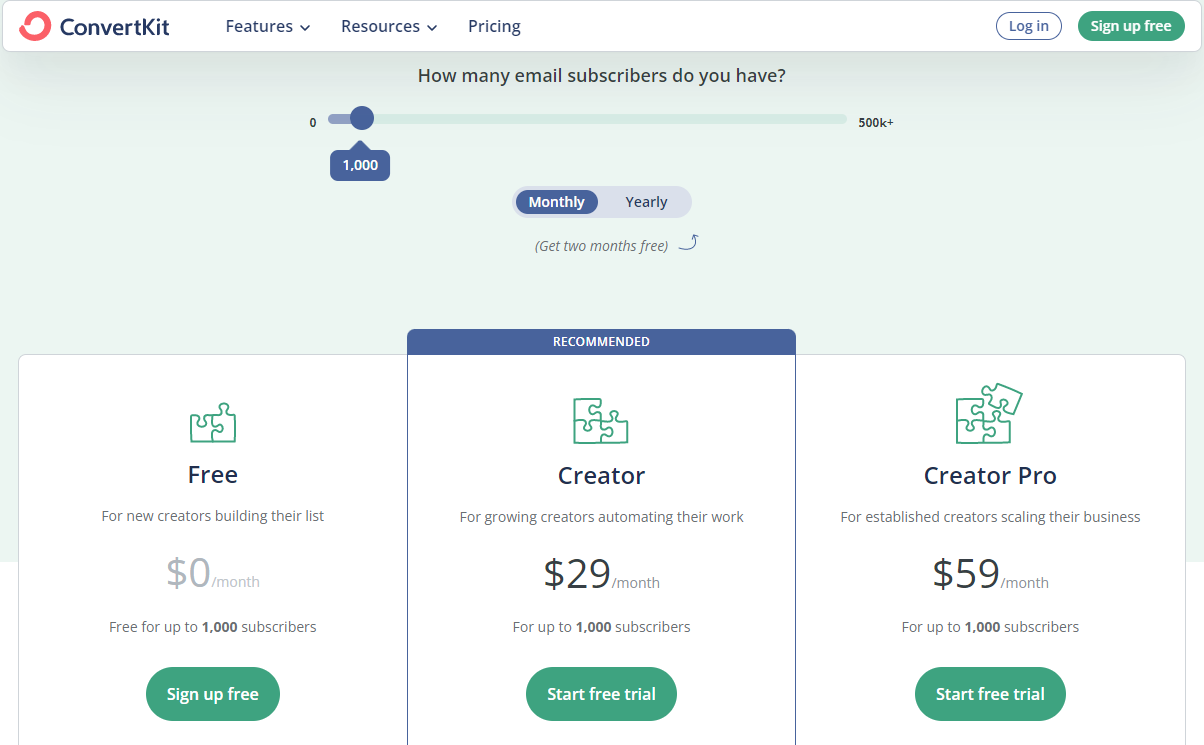
ConvertKit offers three pricing plans.
Free
Creator
Creator Pro
FREE
The free plan is designed for new creators just to build their list and brand. This plan includes
Unlimited Landing Pages
Unlimited Forms
Unlimited broadcasts
Taging and segmentation
Sell digital products and subscriptions
Community support
This plan is free for 1,000 subscribers and has everything you need to build an email list.
CREATOR
The Creator plan is suitable for growing creators expanding their names, and automating their work.
This plan comes with everything included in the free plan, plus
Live chat and email support
Free migration from another tool
Automated email sequences
Visual automation builders
Third-party integrations
Access to one additional team member
All of it comes at just $29 per month.
CREATOR PRO
This plan is designed for established creators scaling their businesses to the next level. The plan comes with access to all features offered by ConvertKit.
In addition to all features of the Creator plan, the creator pro plan comes with
ConvertKit comes with a clean and simple user interface. There’s no learning curve, and if you are familiar with the cloud-based tools, you won’t find anything troublesome in them.
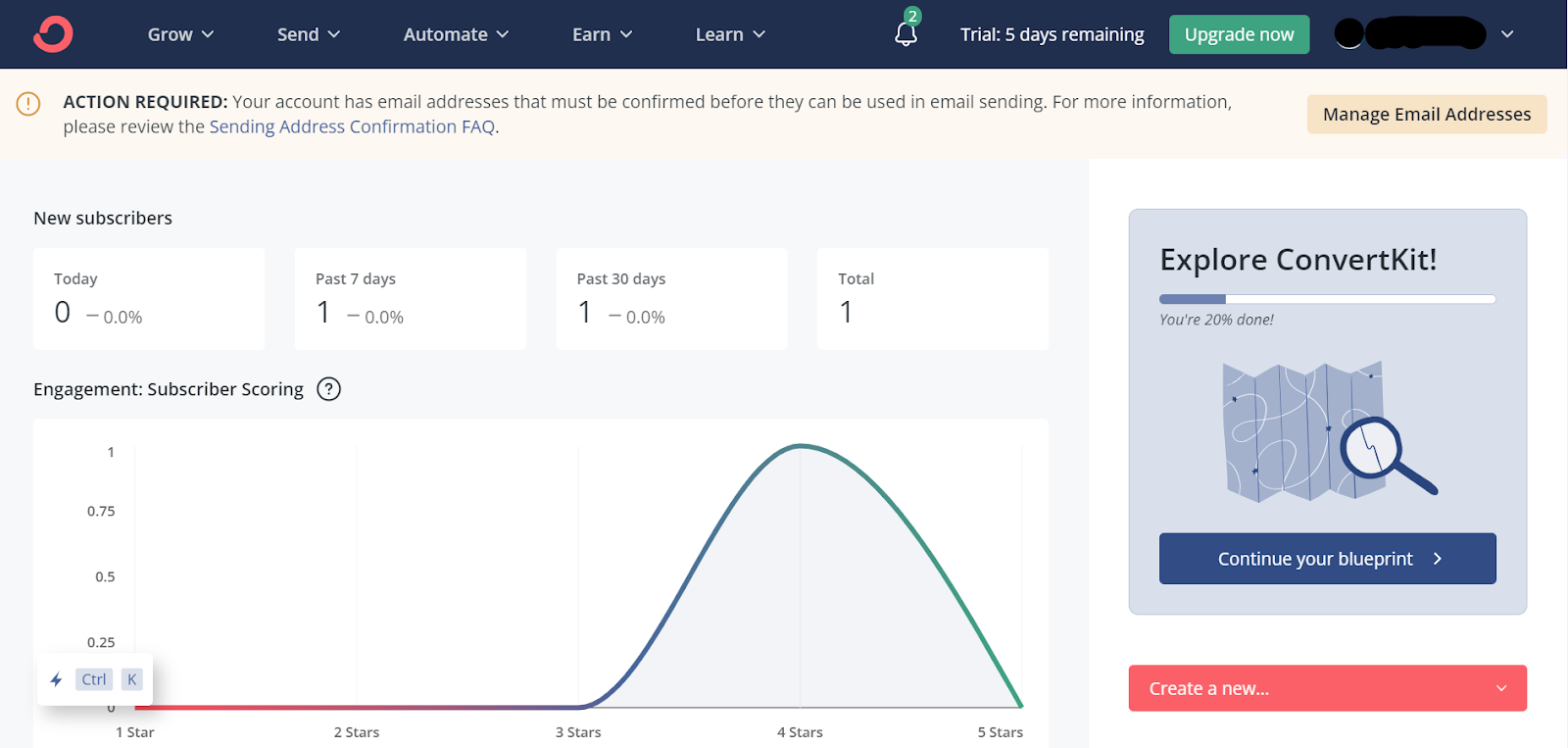
For example, you can add subscribers, create landing pages and forms, send emails, automate campaigns, and access learning material from the dashboard.
Use the Broadcasts option to send emails to your audience. You can start creating your first email by using the pre-made templates.
Create email sequences to nurture your audience and put your funnels on autopilot. Based on the entry, interaction, and interest, present your audience with personalized content to stay organized.
But the catch is that ConvertKit uses the A/B test feature to test two subject lines. It does a split test on subject lines, sending the most relevant ones to half of the audience. Among these two, the subject line with the high open rate would be used for the remaining 70% of the emails.
In case you hit a roadblock or need to fix something technical, reach out to ConvertKit support. There’s no long waiting hours, and you will receive expert help.
Key Features of ConvertKit
ConvertKit has everything you need in an email marketing service. Here is a quick overview of each of the features of ConvertKit.
Subscribers: The list of people who have subscribed to your email list
Landing Pages & Forms: the tools you need to get the subscribers. ConvertKit has many customizable, responsive, and catchy templates for landing pages and forms.
Broadcasts: a one-off email to your list or a segment of it that is being sent to your audience. It is ideal for email newsletters.
Sequences: a series of multi-part emails to help you nurture email subscribers and convert them.
Automation: set things on autopilot. You can set almost everything on autopilot, including the email sequence and newsletter.
Email Templates: pre-made models to help you design your email with a combination of branding, personalization, and eye-catchy designs.
Snippets: store any of your favorite personalized content, including button lists, quotes, and more, to reuse in email campaigns in the future.
Creator Profile: create a one-stop hub for your quality content. The creator profile is where you can add your details, i.e., bio, and a collection of your content and links on a neat and clean page.
Let’s discuss each of them in detail.
Subscribers
The number of people who subscribe to your newsletter, or email list is subscribers. Almost all of the email service providers charge based on your list volume — which is considered a disadvantage because many people subscribe to more than one sign-up form.
Other email marketing platforms refer to those repetitive sign-ups as unique and charge you a higher fee as the number of subscribers increases.
But, ConvertKit charges you based on the unique subscribers. If the same person subscribes from more than one form or landing page, the tool will still mark them as one.
Quick Overview Data of Subscribers
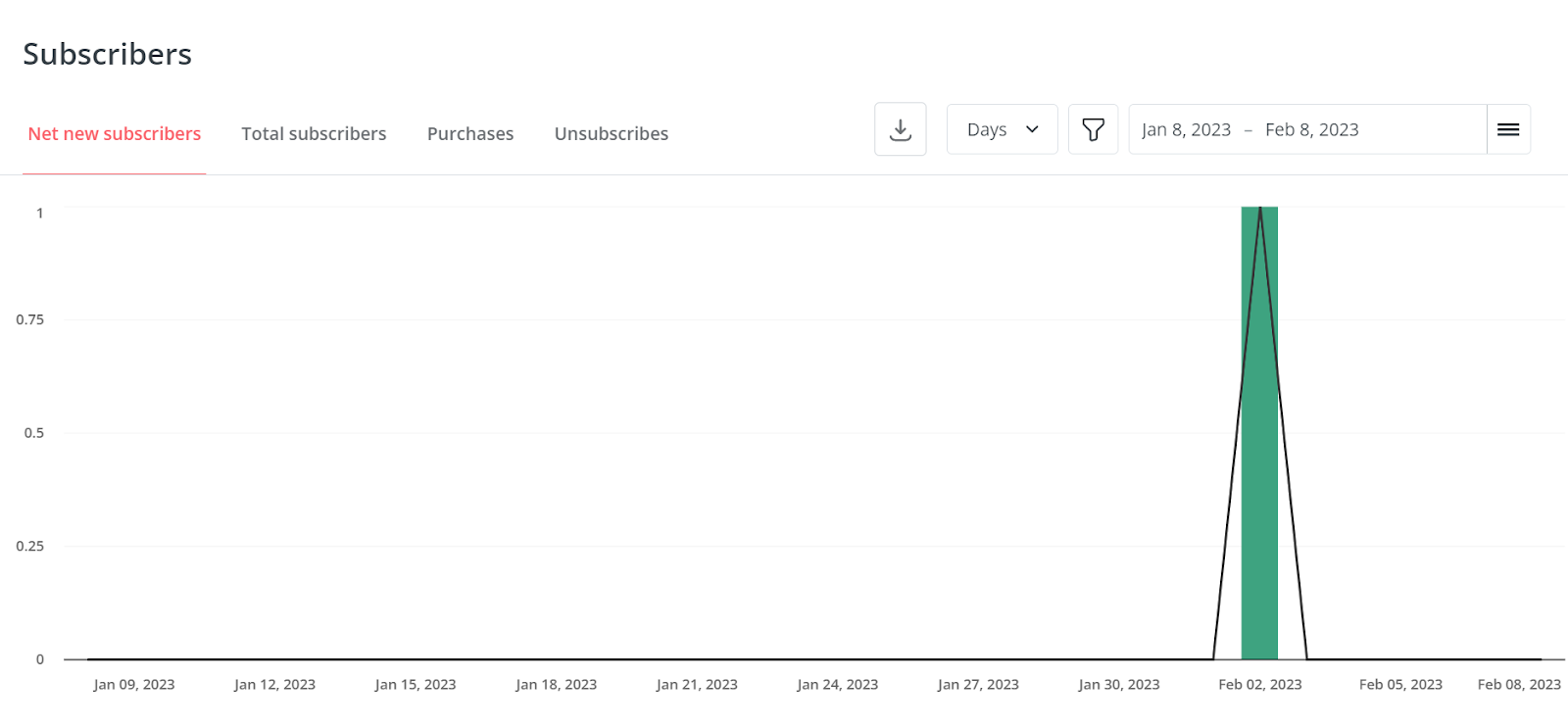
On the Subscribers tab, there’s a quick overview of the subscriber list, which shows your marketing performance.
The stats will be categorized into Net new subscribers, Total Subscribers, Purchases, and unsubscribes. All this data will be marked on different dates.
It also shows data on Lifetime Totals stats on Average Open Rate, Average click Rate, and no. of sent emails.
Segments, Tags, and Products
You can organize your subscribers into different Segments to create a group for broadcast.
With tags, you can categorize subscribers based on when they signed up, which links they clicked on, and any other activity they showed interest in or interacted with.
Let’s say you have a digital marketing newsletter with sub-topics on email marketing, content marketing, etc.
People interested in email marketing are likely to show a higher engagement and interest in the relevant topic. The same is for content marketing.
However, the engagement rate will drop if you keep a generalized marketing approach.
To handle this, you can use tags to tell the software to send the newsletter to interested people only. You can also use a set of different tags to offer a personalized experience to your audience.
Products
With product details, you can see exactly which of your subscribers have bought any of your products and how much they have paid.
It lets you categorize your subscribers list into customers and non-customers. Based on this, you can set different marketing strategies for each type of audience that caters best to their needs.
Sign Up Form
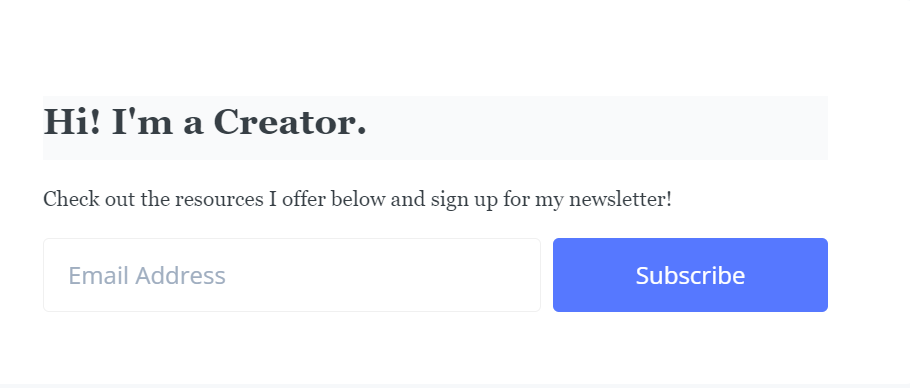
ConvertKit’s sign-up forms let you keep track of audience interest. For example, if they are signing up for a weight loss diet, they will be less likely to engage in topics like ‘yoga for tight hips.’
Though you can nurture your audience on related topics — which is something you can do later. To get started, you need to know their areas of interest, and sign-up forms are a great way to do that.
Landing Pages & Forms
ConvertKit comes with a built-in landing page and form builder. With that, you don’t have to use any other digital marketing tool.
Landing Pages
ConvertKit lets you design web pages targeted for a specific purpose with distraction-free CTA.
It has a stack of customizable landing page templates. You can use them anytime you need to promote an offer.
As these templates are completely customizable, you can personalize them with your brand color and logo — make it look like a part of your website.
Forms
ConvertKit forms have advanced features like triggers and incentives. Like any other email marketing platform, you can create a simple sign-up form and add it to your website to convert your visitors into newsletter subscribers.
With triggers, you can set exit intent pop-up forms to win-back visitors leaving your website. Or, if you have a diverse blog with multiple different categories, you can embed unique forms for each one to keep track of your subscriber’s interest.
Creator Profile
ConverkKit has introduced a creator profile. It is where creators can store all of their good content pieces and links.
It works like a hub featuring your bio, details of who you are, a collection of your posts, and links to a page. With this, you can always reshare your previously created gold content with newly subscribed visitors.
Broadcasts
With Convertkit, you can keep your email marketing campaign aligned with your content calendar. As you plan a new blog post, you can create an email sequence and schedule it for the future.
A broadcast is a one-time email you send to your entire list or a segment of your list. Such emails or broadcasts are mainly used to send new content updates.
Sending broadcasts with ConvertKit is super easy. You need to choose the segment, write the email, and send it.
Previewing your email content before hitting the send button is better. It helps you see any mistakes that you might have made.
Email Templates
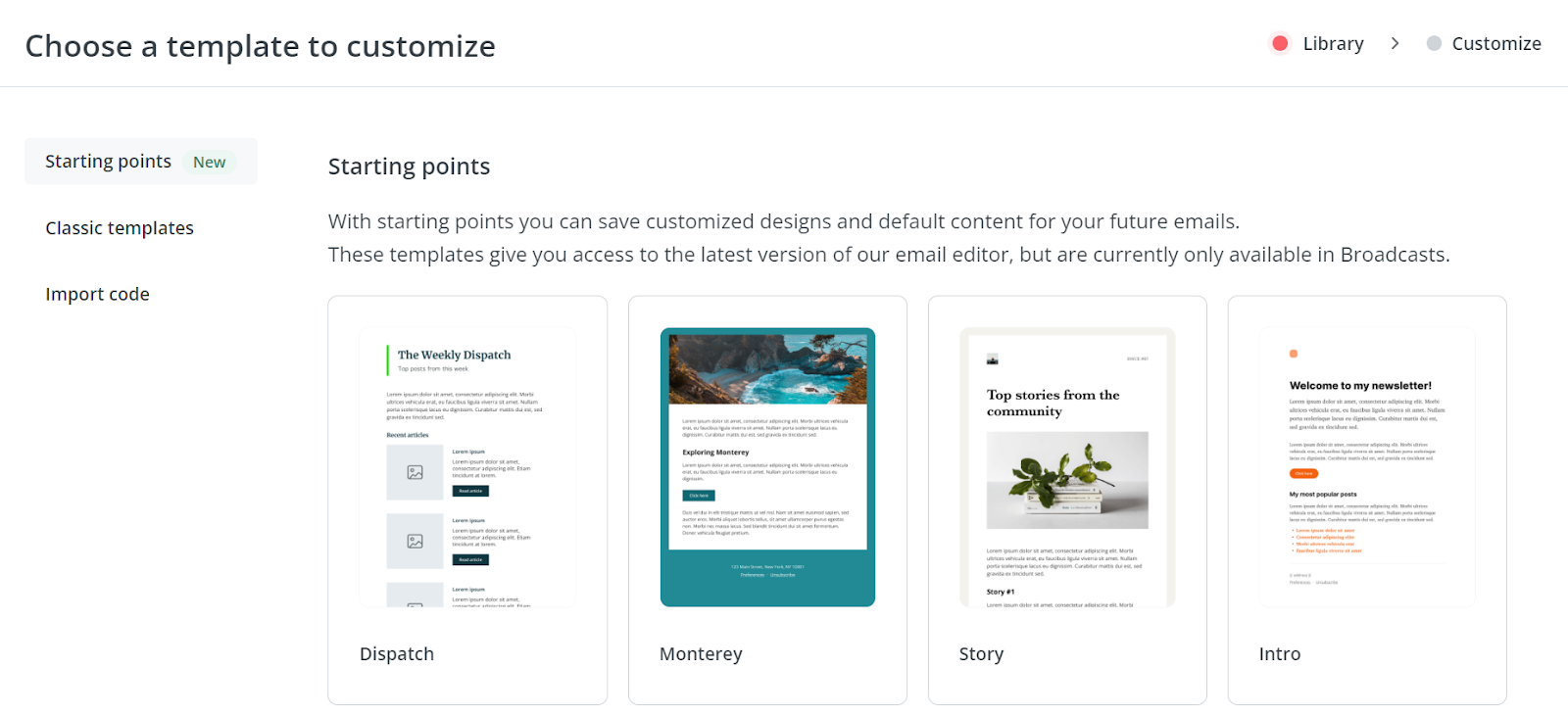
ConvertKit has a variety of pre-made templates. You can use any of them to send to your list. All of these templates are completely customizable. Hence you can add branded colors and media.
Plus, these templates make things quick. You need to choose a template, customize it as you want, write the email content, and send it to your list.
Or, if you are already using a template from any other email service provider, you can easily import its code and create an HTML Template.
Sequences
A sequence is a series of emails sent with a period of delay in between each. These are automated emails generated in response to a trigger like a form, tag, or custom field.
For example, if you receive a new subscription, you send a sequence of welcome emails. The same is for thank you emails on a successful subscription, following up with interested readers, and post-webinar emails to help customers convert.
Snippets
ConvertKit has a powerful feature that lets you save your favorite email components for later use. These components include common personalization, buttons, lists, quotes, or anything else you want to have in your email.
The best thing about content snippets is that they are dynamic. Any changes you make in the snippet editor will be updated everywhere it has been used.
This feature is particularly powerful for automated email sequences. Snippets make it handy for you to update specific content everywhere simultaneously.
Automation
With ConvertKit’s marketing automation feature, you can automate most of your tasks to save time. You can set different tasks based on variable triggers on autopilot.
For example, if someone made a new purchase, you can set up an automated new customer onboarding campaign. If they haven’t made a purchase, you can set up another series of automated emails to help them find the best solution you offer.
This automation includes a trigger and a queue.
Once a trigger has been hit, a queue will be initiated.
Convertkit has 20+ automation templates designed for different purposes like hosting a webinar, launching a product, and personalizing content based on how subscribers answer a question.
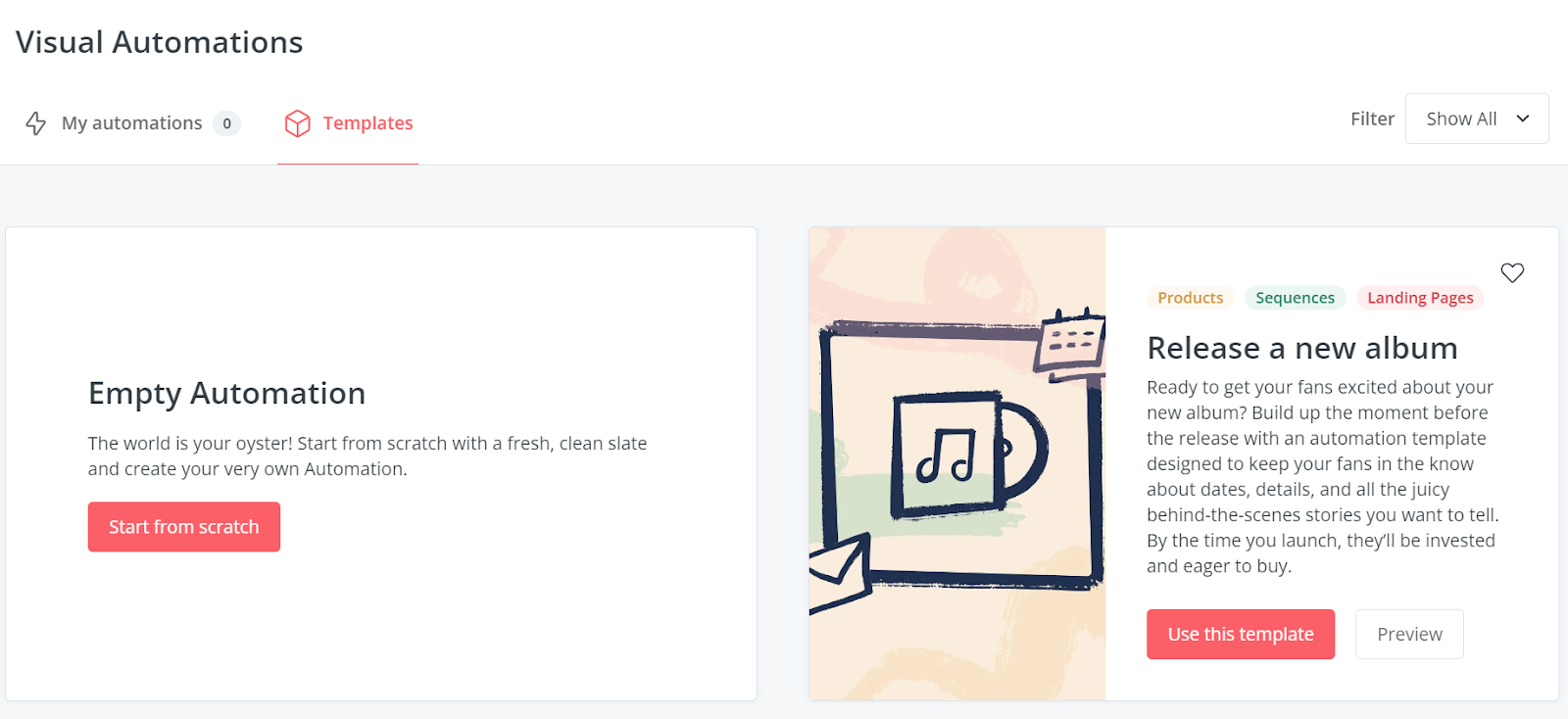
You can also create new automation from scratch. You need to define a trigger and set the queue.
ConvertKit Review Summary
Email marketing has become a necessary part of building a brand. Compared to other marketing channels, email newsletters are known for better conversions.
Several email marketing tools are available in the market. The degree of efficiency in each tool depends on the power of its features.
ConvertKit is a great email service provider created by creators for creators. If you want to know whether it is suitable for you or not, it is best to give it a shot.
GetResponse is an email marketing tool that comes with a wide range of features to help you,
Create an email list
Engage with subscribers/customers
Promote and sell products
Analyze data to make better decisions for your next marketing campaign
The cloud-based platform is accessible from any device and provides secure data storage.
In the initial years of its launch, GetResponse offered several unique features. However, with time, they launched new features such as drag and drop editor, email campaigns, marketing automation workflows with Google Analytics integration, website builder, web event tracking, chat options, eCommerce solutions, webinar hosting, and sales funnels.
If you want to gear up your marketing game, GetResponse features could be the perfect companion for success.
GetResponse Pricing
GetResponse offers four pricing plans.
Free forever plan
Email Marketing
Marketing Automation
eCommerce Marketing
Free
If you are starting your journey in the digital marketing world, this free forever plan is a good option.
GetResponse free forever plan comes with
A limit of up to 500 contacts
2,500 newsletters per month
One landing page
Create and host a website with all essential features
The Email Marketing plan of GetResponse is designed for growing businesses. It comes with a flexibility of contacts. The total price depends on the number of contacts you select.
This plan comes with
Unlimited newsletters
Unlimited landing pages
Unlimited website builder
Basic segmentation
Autoresponders
Integrations and API
This plan costs $15.58 per month for 1000 contacts.
Marketing Automation
This plan is a best seller among all plans of GetResponse.
To help you grow your business online, this plan comes with all the features of email marketing plus and
Marketing automation
Event-based automation
On-demand Webinars
Advanced segmentation
Contact scoring
Sales funnels
This plan also has the flexibility of selecting contacts. The total price would depend on the number of contacts you choose.
For 1000 contacts, the cost will be $48.38 per month.
eCommerce Marketing
This plan is specifically designed for eCommerce brands considering their increased demand for better features.
The eCommerce Marketing plan comes with everything included in the Marketing Automation plus
Quick transactional emails
eCommerce segmentation
Abandoned cart recovery
Promo codes
Product recommendations
Web push notifications
This plan costs $97.58 per month for 1000 contacts.
How Does GetResponse Work?
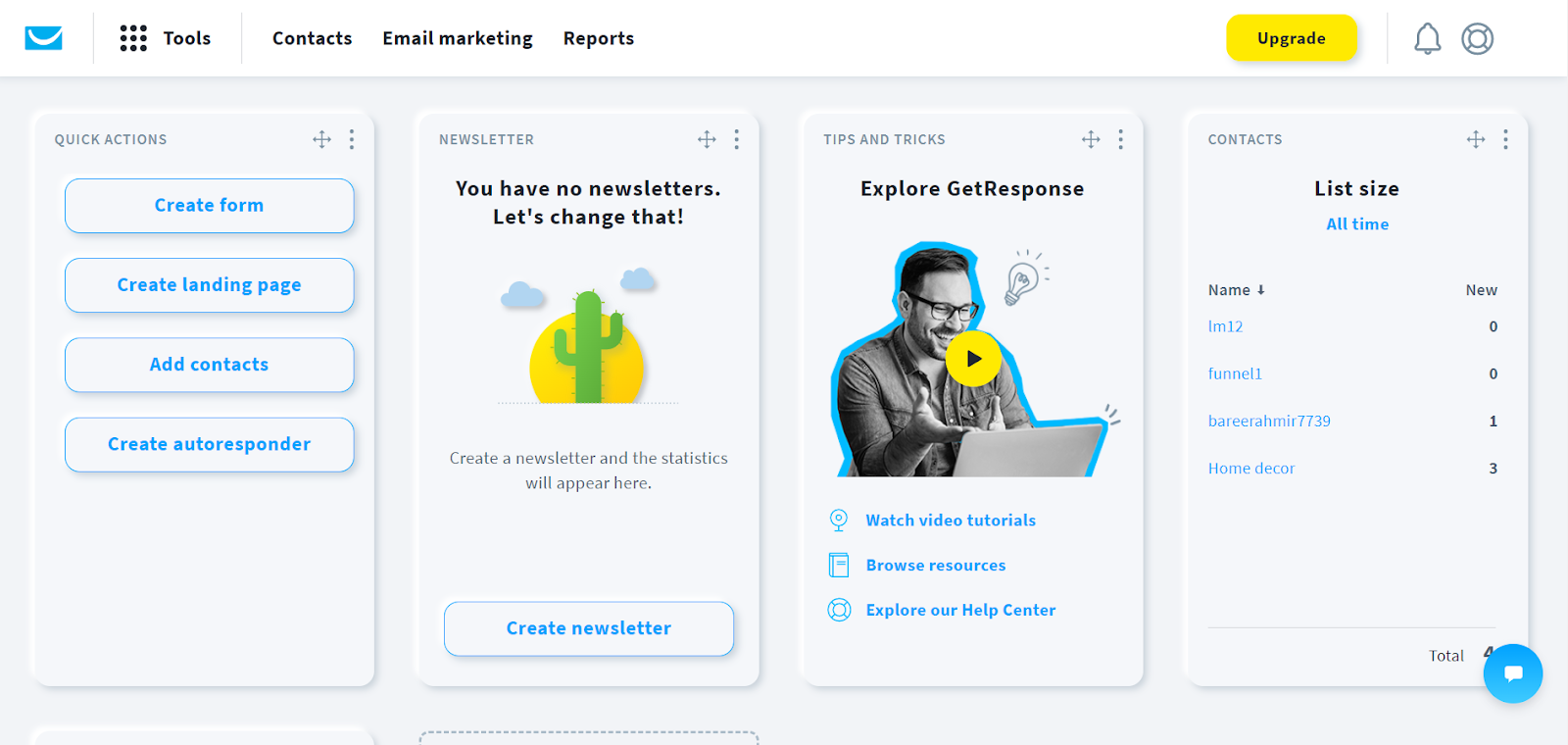
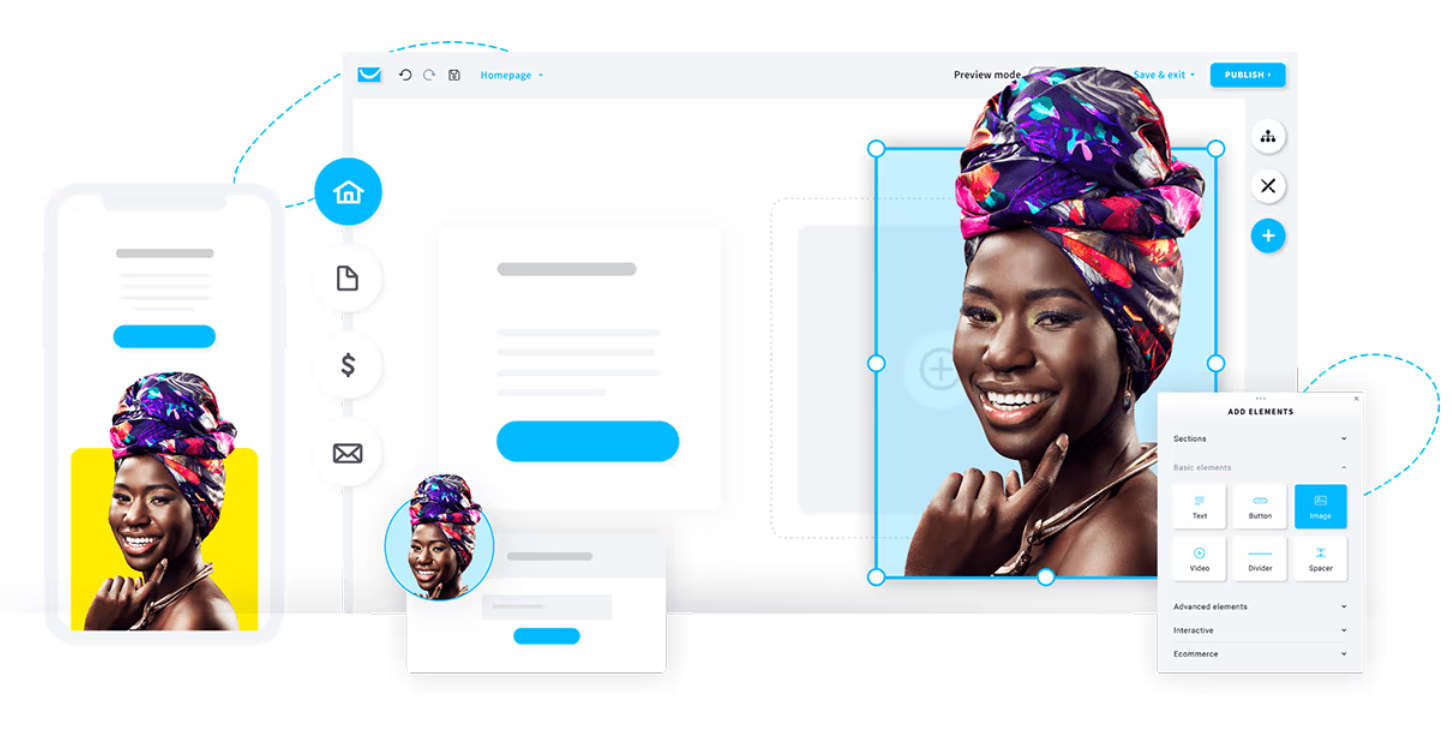
Once logged in, there’s a clean dashboard with an easy interface. You can create a form, and landing page, add contacts if you already have a list, and create an autoresponder from the quick actions menu.
This dashboard is customizable. If you want to see a specific thing here, you can add a widget using the ‘add new widget’ option.
The widget option leads to the widget library. You can select and add the widget that you want to see on your dashboard for a quick view of performance.
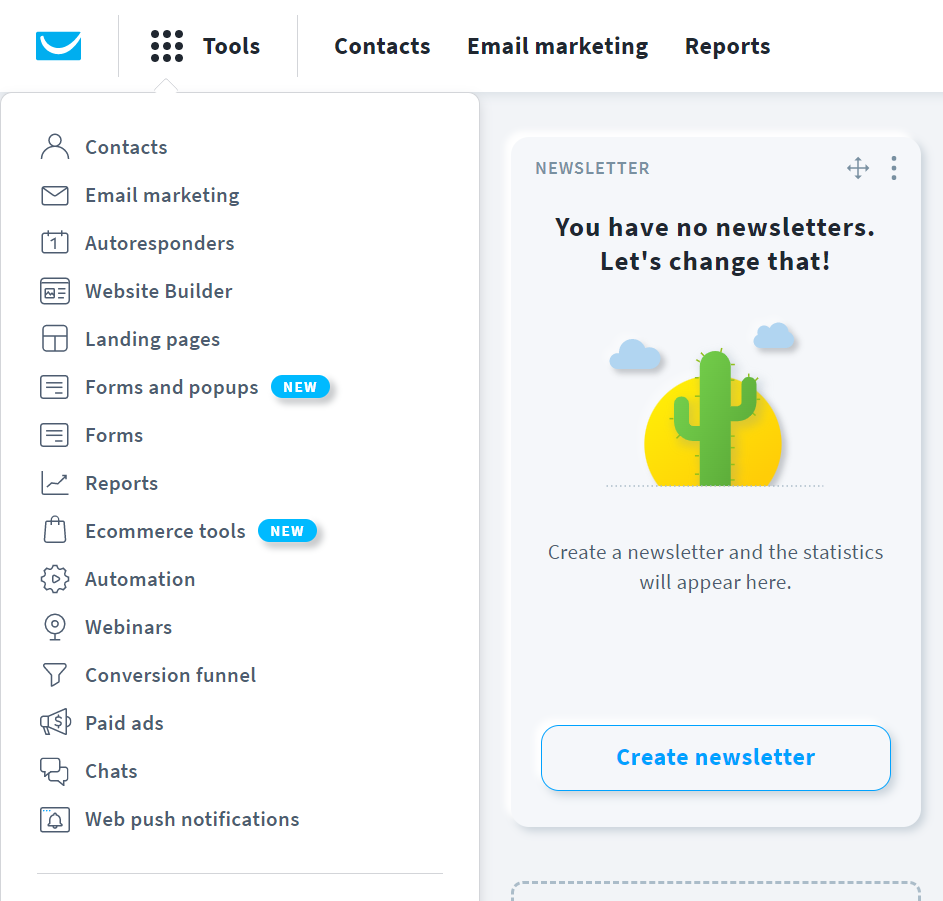
You can access all other features from the Tools menu in the header section. You will be directed to the dedicated page to take action by clicking on the specific feature.
To start an email marketing campaign, you can create forms and landing pages without needing any third-party solution. With the marketing automation feature, you can design things in minutes and set them on autopilot.
Whatever you do automatically saves in real-time. A live chat option connects you with a GetResponse expert agent if you encounter any issues.
Top Features of GetResponse
Autoresponder
GetResponse offers a unique feature that lets you send automated email sequences. These sequences are invented to help marketers improve conversions.
An automated email sequence is a newsletter sent to subscribers at specified intervals.
These autoresponders can work on triggers like,
When someone subscribes to your list
A promotional email after a week of their subscription for upsell or cross-sell
A sequence of emails to follow you/your brand on social media or take any other action
Or it could be anything else specified for an event at a particular time.
If used correctly, autoresponders can be a very powerful and simple part of an email marketing strategy.
As GetResponse is an all-in-one solution, you can use the design tools and templates for an email campaign from a single dashboard.
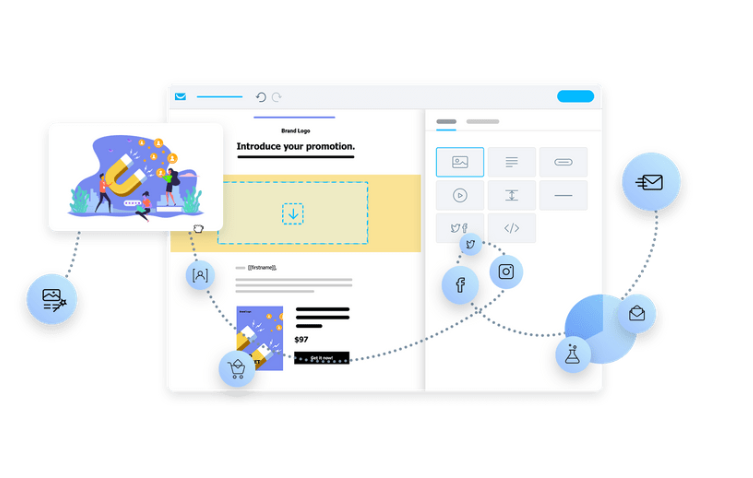
Based on your campaign, you can use a pre-designed template to save time. For personalization, a drag-and-drop builder is there to help you add your brand colors and logo.
You can set automated delivery time based on the subscription time at specified hours.
All of this is designed to help you improve conversions. By planning things, you see a trend in your efforts and enough time to re-think your strategy.
Marketing Automation
Besides the autoresponders mentioned above, GetResponse offers a sophisticated, one-stop solution to deliver a better customer experience.
Instead of waiting for customers to reach a certain trigger and then taking action, marketing automation features let you prepare ahead and grow with your needs.
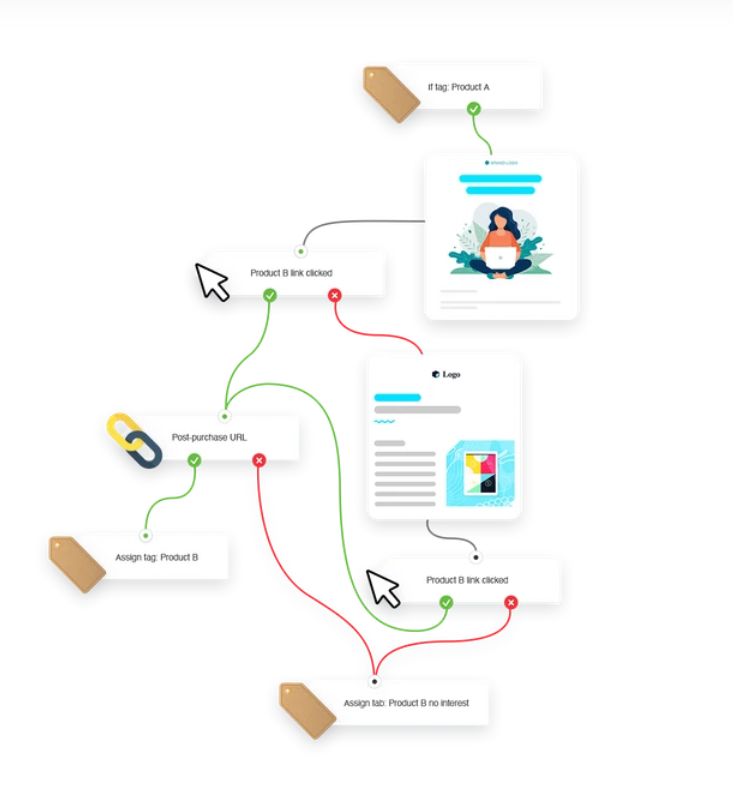
This feature lets you define each touchpoint and an appropriate action for it in the form of a flow chart. You can decide if a customer opens or subscribes to a particular offer or clicks on a button or link. The customer will receive a specific email tailored to the particular persona.
With data stored in your account, you can
Create automation workflows based on the audience’s behavior
Take specific actions on selected conditions
Use filters for precise targeting
You can also manage your audience profiling and contact evaluation with tags and segments.
This data gives you enough insights to segment the audience and run targeted email marketing campaigns for better outcomes. Using relevant content in marketing campaigns improves results and helps you stay connected with your audience better.
Marketers use this feature in
Nurturing new leads and starting a conversation with your prospect
Recommend popular products as you learn about your customer’s preferences
Recover lost sales by reminding customers about abandoned order
Use behavioral targeting to trigger relevant emails
With all this, you can turn your website and visitors into potential sales opportunities.
Multichannel Engagement
The audience expects brands to offer personalized solutions to their needs in the pool of multiple options. By connecting with them on multiple channels and collecting data and insightful trends, you can determine where your audience is more responsive.
With these details, you can analyze when and where your audience is more responsive to pitch them a great solution.
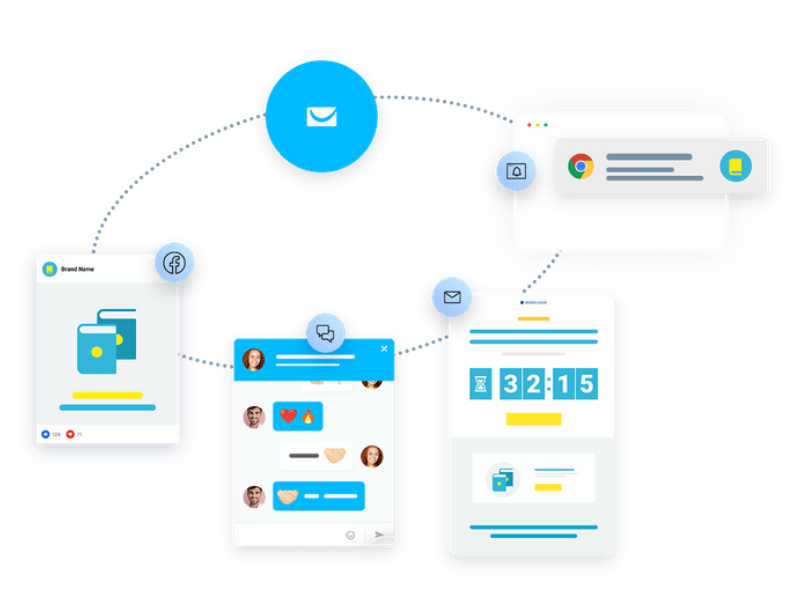
GetResponse has solutions like web push notifications, SMS marketing, pop-ups and forms, and a live chat feature.
Web Push Notifications
Push notifications instantly grab visitors’ attention. If optimized well with hard-to-miss messages, you can maximize reach to your best post or best offer.
According to Moengage, the delivery rate of push notifications is 90%, the click rate is 7x higher, and almost 40% of the users interact with push notifications within an hour of receiving them.
SMS Marketing
GetResponse lets you set bulk automated SMS campaigns based on user behavior, selected condition, or contact information.
The SMS marketing tool has a perfect timing tool. It ensures the delivery of SMSs at a time when your audience is more likely to engage with them.
You can add links (shortened by link shorteners), unsubscribe links (to stay compliant with GDPR), monitor and analyze the number of sent and delivered messages, and details like link click.
Popups & Forms
Pop-ups, banners, and forms are used to hook your website, visitors before they leave.
GetResponse has over 30 triggering rules to help you catch your visitor’s attention. You can build forms and pop-ups from scratch or use a template.
Templates are fully customizable.
You can choose multiple formats to engage with visitors, i.e., bars, light boxes, or banners. All of them are optimized for mobile and website traffic.
Embedding these pop-ups on your website is quite simple. You can copy and add one code to your website and manage all pop-ups and forms.
Live Chat
If you are offering a product or service, it is important to have the option to connect with your audience instantly.
With GetResponse live web chat feature, you can connect, engage and support your customers efficiently. It lets you provide
Real-time instant support
Chat from landing pages and emails
Be there for your audience when they need you the most
Maximize conversions and sales
It is said that happy customers are the best asset for a business. The quick and easiest way to get rid of the customers’ frustration and make them happy is by immediate response.
According to ReveChat, 90% of customers rate immediate response as necessary, especially when they have sales and support queries.
Landing Pages
With the GetResponse landing page creator, you can easily create intuitive standalone web pages for specific targets.
There are over 200 templates in the GetResponse landing page builder to use. The drag-and-drop builder lets you customize each of them with no hassle.
You can optimize each of your landing pages for different devices and set the domain name, meta title, and description for SEO.
Plus, it provides detailed analytics reports like the number of clicks, visits, and conversions. You can run A/B tests to determine what’s working for you.
You can integrate it with Google Analytics, Google Tag Manager, Facebook Pixel, and many other tools to have an in-depth view of your landing page’s performance.
Lead Magnet Funnels
One great way to access your visitor’s data is by offering a lead magnet. It is an incentivized way of exchanging your customer’s email and contact details for essential information.
GetResponse has a pre-made library of lead magnets to help you get started. You can select a signup incentive or lead magnet, define your ideal campaign scenario, and design your follow-up emails.
With relevant lead magnets, you can entice the right audience to connect on a more personal level. You can promote these assets on your social profiles via Facebook and Instagram ads created right from your GetResponse account.
Automated triggers are set to take follow-up actions. It starts from the beginning — customers automatically receive the lead magnet on signup.
For later, you can automate a series of emails to engage with your audience. Once you reach a certain level of trustworthiness, you can expect them to convert, i.e., take a specific action, subscribe to a list, service, product, etc.
You will get comprehensive analytics data to monitor your Facebook Ads, landing page visits, and downloads. With that data, you can optimize your funnel to get better results.
eCommerce Marketing Automation
In eCommerce, there are a lot of factors affecting the total revenue of a business or brand. You can skyrocket conversions if you get comprehensive data and make data-based decisions for better growth.
GetResponse lets eCommerce store owners have all the features they need. You can easily integrate your eCommerce platforms with one-click integration, enabling seamless data syncing between two platforms.
Using the stored data, you can
Plan and execute email marketing campaigns
Use automation to increase conversions
Leverage SMS marketing to connect with your audience
Segment customer’s data to reach them with personalized offers
You get access to open API if you are a tech geek and want to build something new out of GetResponse and eCommerce platform integration.
All of these features are perfectly optimized for growth and conversions. One of the eCommerce brands, Beauty Sleep, has reported that they have maximized their conversions by 43% and sales rate by 25% with the GetResponse abandoned cart series.
Webinar Builder
Webinars have become a significant part of a lead generation campaign. They let you connect with your audience and allow you to engage with and solve their issues.
So, instead of using a third-party solution, you can host webinars from a single marketing suite.
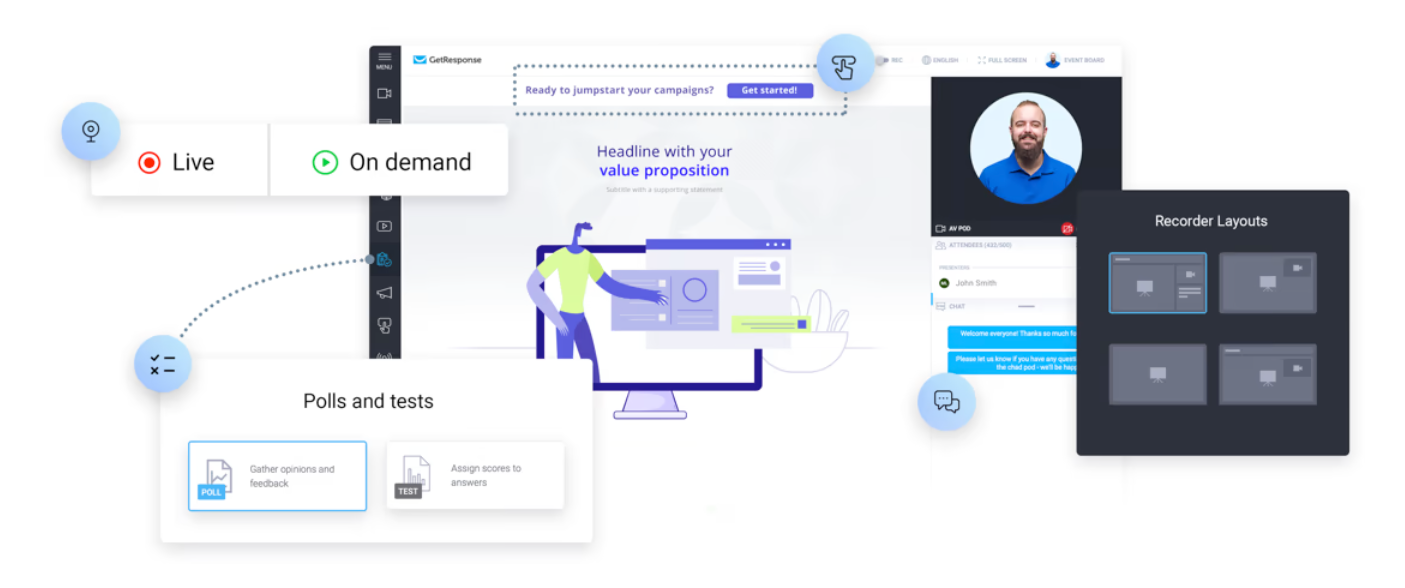
GetResponse webinar builder lets you
Host unlimited webinars
Get a room for up to 1,000 live attendees
Allow two other presenters to spice up the content
Store up to 20 hours of webinar recordings
Customize the webinar URL to promote your brand
Hosting webinars right from your marketing suite brings more convenience.
You can easily set up an automated campaign for your webinar. Connect and engage with new leads, set automated follow-ups, webinar reminders, and nurturing campaigns, and promote special offers and events.
You can expand your reach by live streaming your webinar on Facebook and YouTube to reach more audience or webinar attendees. If you want attendees to take action, you can use buttons during the webinar.
Conversion Funnels
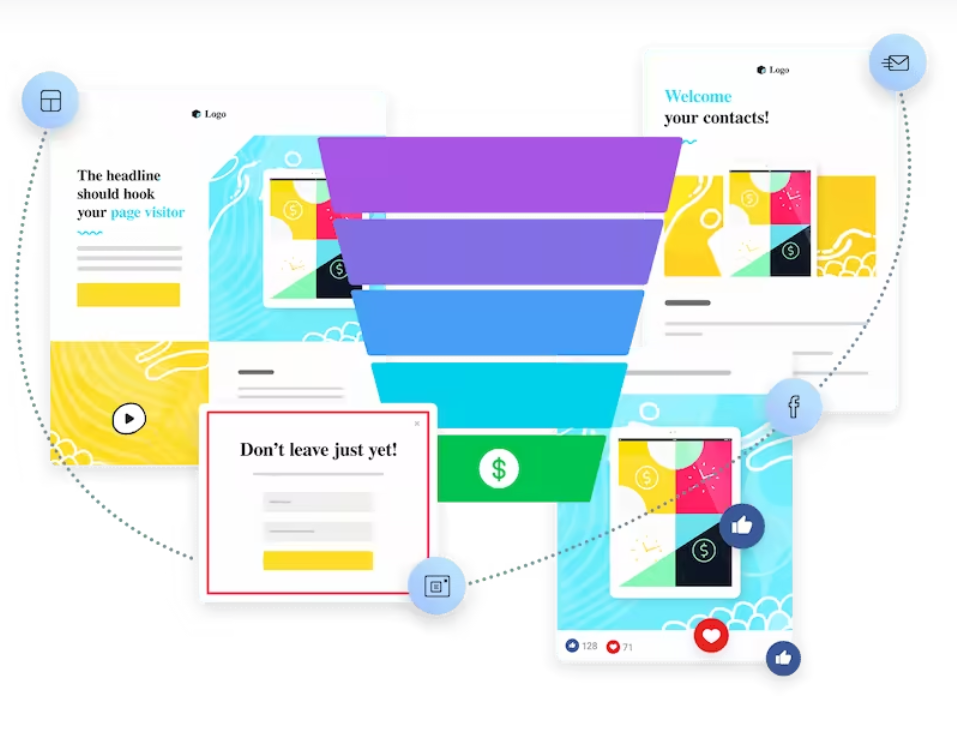
Sales funnels that take a potential customer on a stage-based journey toward making a purchase are conversion funnels.
In eCommerce, conversion funnels are the cornerstone that helps brands generate revenue. Based on the stage of your potential customer, these funnels guide them toward the appropriate action.
GetResponse has an automated conversion funnel tool. It comes with
Simple opt-in funnels to capture new leads
Lead magnet funnels to share valuable content in exchange for contact details
Sales funnels to let you promote, sell, and deliver products/services
Webinar funnels to help you build relationships and turn your expertise into revenue
All of it is simple. You need to let the tool know what you are trying to build, and it will present you with professionally-designed and optimized solutions.
There are multiple pre-design scenarios for each stage of your conversion funnel. By starting with high-quality traffic, you get to send the traffic to your landing page, turn the traffic into leads, and send follow-up emails to nurture new leads.
Paid Ads
One of the great ways to connect with a potential audience interested in your brand is through paid ads. It lets you find new leads and turn them into customers.
If they do not make a transaction instantly, you get their contact details to follow up with potential offers.
Paid ads let you connect with a relevant audience who you think might be interested in your brand or content.
With that, you can optimize your content and target subscribers with ads they are more likely to engage with.
And it’s not just for the new leads. You can retarget people who have visited and left your page without converting with new, relevant ads.
With the GetResponse Paid ads feature, you can run
Targeted meta ads
Google Ads
Goal focused ads
There’s a social ads creator as well. It lets you create enticing videos and catchy banners in minutes. You can use it for any paid ad campaign.
Website Builder
GetResponse has everything a business needs to grow. You can do almost everything to run marketing campaigns without hiring a huge team.
It was missing a huge factor of a business’s success — a website.
GetResponse website builder lets you design a business website the way you want. It comes with everything you need, templates, themes, a no-code interface, and an AI-driven approach.
Define your business and visual preferences to the AI, which will present you with several personalized templates.
You can design a custom website from scratch if that doesn’t suit you.
As someone who has used multiple website builders, if you are a beginner, GetResponse website builder is the best option to do wonders.
If you are an expert, that’s even better. Your skills, combined with the possibilities in GetResponse and features, can form a fantastic website.
GetResponse Review Summary
Growing online businesses needs an all-in-one digital marketing solution. Taking care of everything from a single dashboard is much easier than switching between tools.
GetResponse kicked off its journey as a perfect email marketing tool. With time it launched several features to help its customer base.
With time, they have improved a lot and taken feedback seriously.
GetResponse is an easy, affordable, and result-driven email marketing software— and my favorite for the same reasons.
If you need clarification on GetResponse, start using the free forever plan and give it a go before cutting it down from your list.